
As a reseller, you have the flexibility to manage the availability of products you offer to your customers and sub-resellers. Here’s a step-by-step guide on how to adjust product settings to either sell, halt new orders, or discontinue a product entirely.
How to Manage Product Status
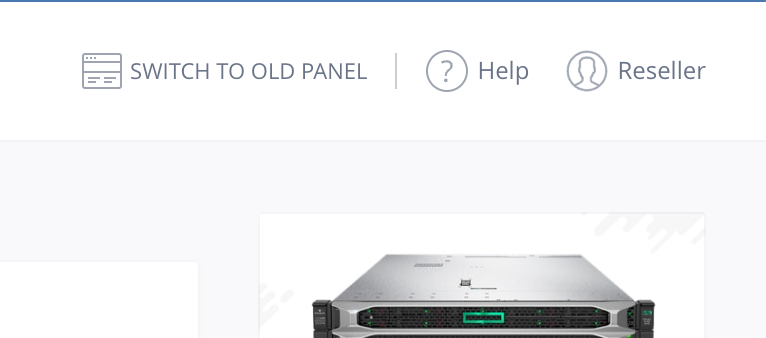
- Log into your Reseller Admin Control Panel - For users on the WebPro Panel: Since this feature is available only in the old admin panel, please switch to the old admin panel by selecting the option to "Switch to Old Panel" at the top of your dashboard.
- Click on "Settings" -> Manage Products and Pricing.
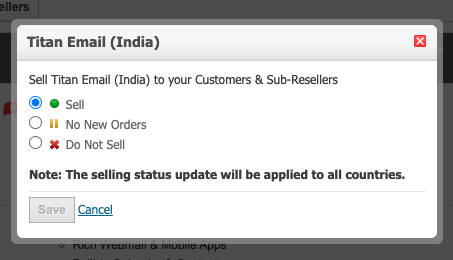
- Select one of the following statuses for each product:
- Sell: Enable this product for sale to your customers and sub-resellers.
- No New Orders: Stop accepting new orders for this product, but allow existing orders to be managed and renewed.
- Do Not Sell: Completely stop offering this product. This status can be set only if there are no existing orders for the product.
- Review the Terms and Conditions at the bottom of the page.
- Submit your selection by clicking the "Save" button.
Important Caveats and Error Messages
- Concurrent Modifications: If you receive an error stating, "Attention: Another action for modifying your product signup preferences is already under processing. Please try later," you will need to wait until the previous modification takes effect before making a new change.
- Active Orders Conflict: If trying to mark a product as inactive but it has active orders, you'll see the message: "Attention: The following Product(s)/Service(s) that you wish to stop selling have Orders existing for them: [productname]. Please delete all the Orders for this/these Product(s)/Service(s) and try again."
- Domain and Service Restrictions: You cannot discontinue selling the Domain Registration Product, but you may select specific TLDs you wish to sell. Domain Forwarding, Email Forwarding, and DNS Services cannot be disabled.
- Product Bundles: If a product is part of a Combo Plan, you must discontinue selling the entire Combo Plan before setting the product to No New Orders or Do Not Sell.
- SuperSite and PartnerSite Synchronization: After making changes, the cache of your SuperSite and PartnerSite will be reloaded automatically. This ensures that the updated product details are downloaded from your Control Panel to your SuperSite and PartnerSite.