
You can configure the server to use different PHP versions on your subdomains and directories by adding the SetHandler code in the .htaccess file of the folder to override the default PHP version.
For example, your website www.yourdomainname.com requires PHP version 5.6 and the application on your website which is stored at www.yourdomainname.com/application requires PHP version 7.0 to execute, follow these steps to configure the PHP versions for your subdomains or directories.
Step 1: Log in to your control panel. Learn how.
Step 2: Navigate to the Order View.
Search the domain name for which you have purchased the hosting order and select the domain to view the order information.
Step 3: Access the cPanel.
Learn More
In your cPanel click File Manager.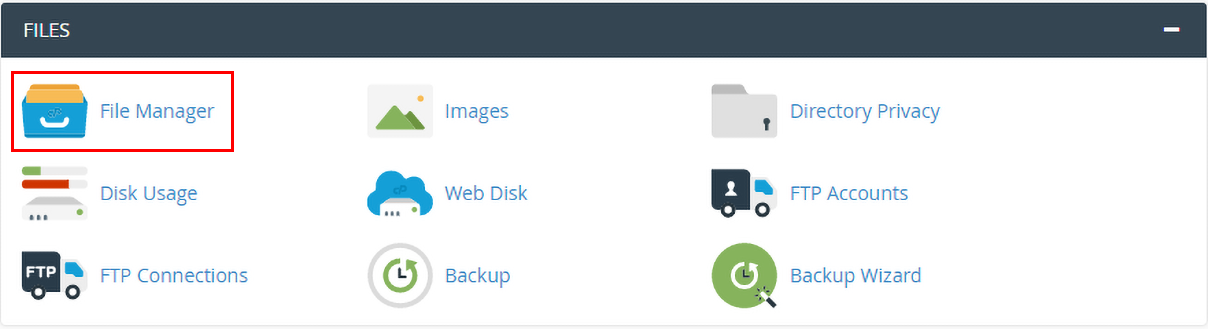
Step 4: Configure PHP Version.
- Navigate to the directory for which you want to use a different PHP version.
- Open the .htaccess file. If you don't see the file try enabling hidden files from settings or create a .htaccess file.

- Add this code to the file.
<IfModule mime_module>
AddHandler application/x-httpd-alt-php53 .php .php7 .phtml
</IfModule>
Depending on the version you want to use, modify the SetHandler line in the code.
- PHP Version 5.3 - AddHandler application/x-httpd-alt-php53 .php .php7 .phtml
- PHP Version 5.4 - AddHandler application/x-httpd-alt-php54 .php .php7 .phtml
- PHP Version 5.5 - AddHandler application/x-httpd-alt-php55 .php .php7 .phtml
- PHP Version 5.6 - AddHandler application/x-httpd-alt-php56 .php .php7 .phtml
- PHP Version 7.0 - AddHandler application/x-httpd-alt-php70 .php .php7 .phtml
- PHP Version 7.1 - AddHandler application/x-httpd-alt-php71 .php .php7 .phtml
- PHP Version 7.2 - AddHandler application/x-httpd-alt-php72 .php .php7 .phtml
- PHP Version 7.3 - AddHandler application/x-httpd-alt-php73 .php .php7 .phtml
Example: If you want the folder to use PHP version 7.1 add the following code to /home/user/public_html/subfolder/.htaccess
<IfModule mime_module>
AddHandler application/x-httpd-alt-php71 .php .php7 .phtml
</IfModule>